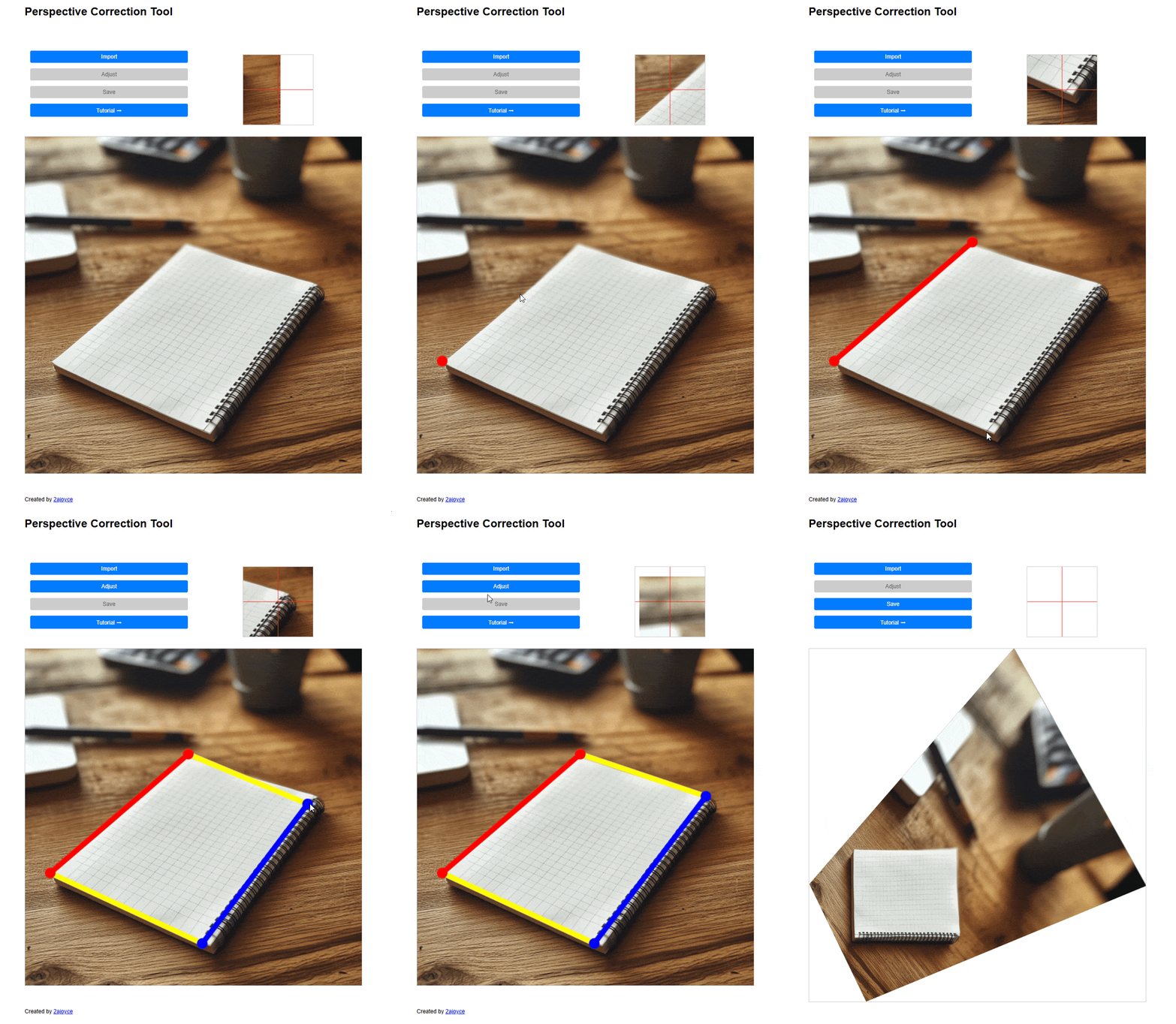
Instructions:
- Click "Import" and select an image file.
- Mark two lines in the image.
- The lines must be parallel.
- The lines must be the same length.
- Drag points to refine their positions if needed.
- Click "Adjust" to correct the perspective.
- Click "Save" to download the corrected image.
Demo